
Payroll software deserves a careful setup before your first live pay run. Start with the work behind the screen: who supplies changes, who reviews exceptions, who authorizes processing and who checks the accounting handoff. A polished dashboard does not answer those questions for you.
This guide explains how to evaluate software and design an administrative workflow. You will build a requirements list, map responsibilities, prepare a controlled pilot and define an evidence trail. The examples use invented business details for explanation. No provider has been tested for this article, and no example establishes a tax calculation or legal requirement.
Payroll rules depend on your business, workers and jurisdictions. Use a qualified payroll professional for classification, withholding, filing, payment and record-retention decisions. The practical checklists below help organize those discussions. Read our editorial standards for our research approach.
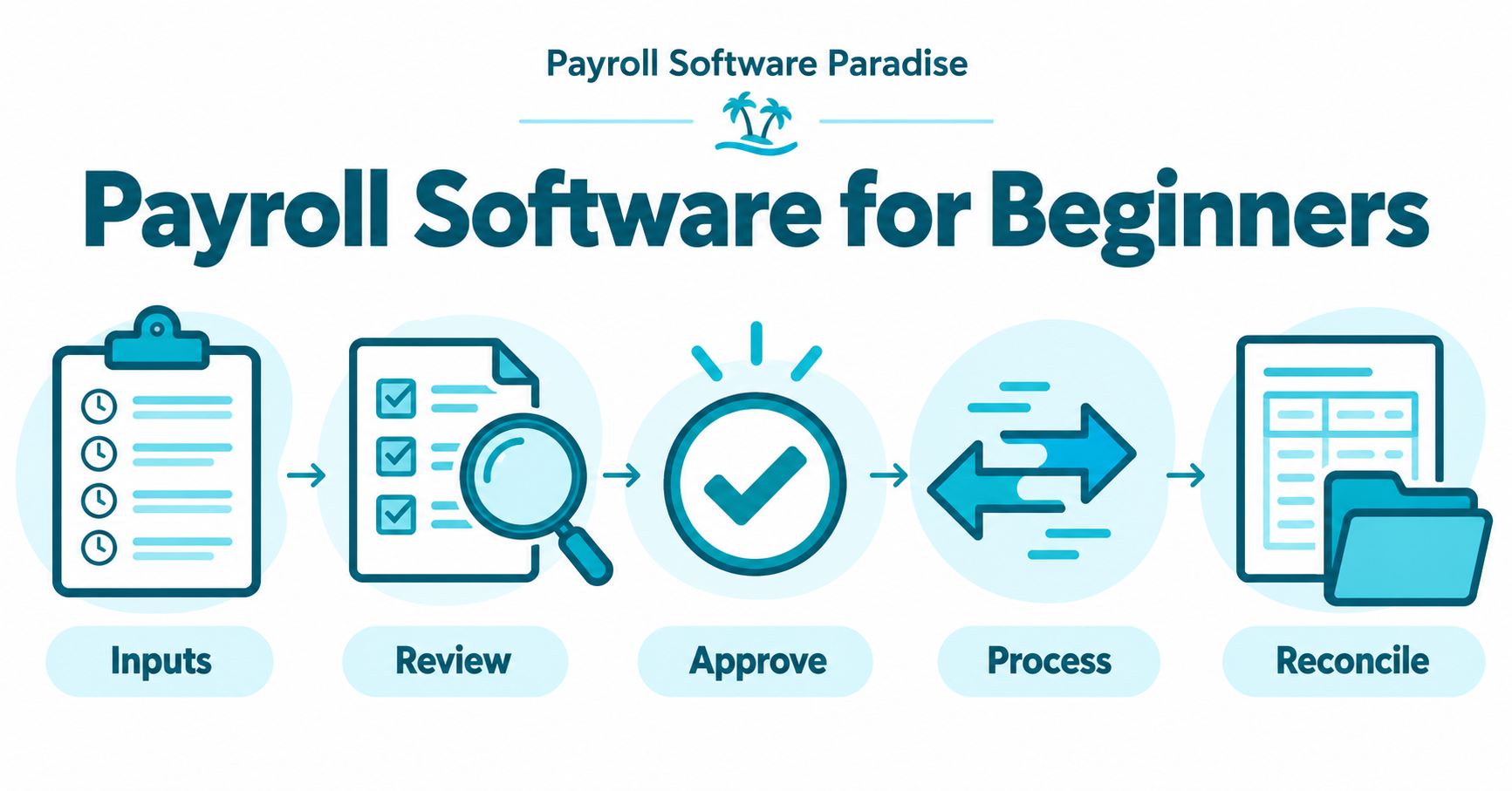
In this guide
- Start with responsibilities before comparing software
- Describe the payroll inputs your team needs
- Build a calendar around real handoffs
- Distinguish software features from service commitments
- Use a requirements table instead of a feature count
- Check permissions with realistic user roles
- Examine integrations and accounting exports
- Plan migration as a controlled project
- Run a pilot without moving real money
- A hypothetical workflow for a small team
- Review reports and exceptions after each run
- Agree on records, security and an exit route
- Questions beginners should resolve before purchase
- Prepare your first evaluation brief
Start with responsibilities before comparing software
Write down every person involved in the process. A small business often places several responsibilities with one owner, but separate the responsibilities on paper. Preparing input, checking input, authorizing a run and reviewing the result represent different decisions. A substitute reviewer also needs clear instructions when the usual owner is absent.
List your outside participants beside your internal team. Your accountant, payroll service and benefits administrator perform different work. Ask each participant to confirm their scope in writing. Avoid assuming a connection between two apps transfers responsibility for checking the transferred information.
The IRS explanation of outsourcing payroll and third-party payers describes different arrangements and the responsibilities associated with them. Outsourcing does not automatically remove employer responsibility. Confirm the specific arrangement with your professional adviser instead of treating every provider as interchangeable.
Your output from this step is a responsibility map. Each recurring task needs an owner, a backup and a clear destination for unresolved questions. If nobody owns an exception, software selection is premature. Fix the ownership gap before comparing automation features.
Describe the payroll inputs your team needs
Build an input inventory without copying sensitive employee records into a research spreadsheet. Record the type of information, its source and the person authorized to approve changes. Examples include approved time records, compensation changes, new starters, departures, approved deductions and relevant leave information.
Keep the inventory separate from the actual employee data. During software research, a sample row such as Employee A provides enough context to explain a workflow. Real identity numbers, bank details and private documents belong in approved secure systems, not a vendor comparison document or an email to this publication.
For each input, identify the authoritative source. If a manager edits a timesheet after approval, determine how payroll receives the correction. If the payroll system and another system disagree about a change, identify the owner responsible for resolving the difference. Do not silently select whichever value appears most recent.
Add an acceptance check beside each input. An approved time record requires a named approver and a completed period. A compensation change requires the business's authorized documentation. Your payroll professional should confirm the actual requirements. The software demo should show how your team records those checks and prevents unresolved changes from disappearing.
Build a calendar around real handoffs
The payroll date is only one point in the process. Your administrative calendar also needs input cutoffs, review time, authorization time, provider processing deadlines, exception handling and post-run reconciliation. Obtain current processing requirements from the provider and confirm relevant deadlines with your payroll professional.
Separate your internal target from the provider's deadline. An internal target gives the reviewer time to investigate missing information. Avoid designing a routine in which every review finishes at the last possible moment. A correction arriving late should enter a documented exception process rather than trigger an improvised change.
Write the calendar in the time zone your team uses for authorization. Distributed teams need an explicit convention. A timestamp without a time zone creates uncertainty, particularly when the preparer and approver work in different locations. Check how the software displays deadlines and approval history to each user.
Test an absence scenario during planning. Identify who handles a missing timesheet, an unavailable approver or an interrupted integration. The calendar should show the decision point and escalation owner. A reminder email alone does not establish whether the payroll run is ready for release.
Distinguish software features from service commitments
A feature list describes software functions. A service agreement describes what a provider promises to perform. Keep separate columns for these two categories. An app displaying a tax-related report does not establish who submits a filing, handles a notice or verifies a payment.
Ask for the supported jurisdictions and employee arrangements in writing. Then ask your adviser whether the documented scope fits your business. Record exclusions alongside inclusions. A clear exclusion discovered before purchase is more useful than a broad marketing statement interpreted after implementation.
Support also needs a specific definition. Identify the contact route, stated response arrangements, escalation process and help available during a live payroll problem. Check whether support discusses software use only or includes another contracted service. Avoid treating a chatbot response as a professional determination.
Review the current terms for corrections, reversals, off-cycle work, exports and termination. Request an explanation of any extra fees. Do not assume the headline subscription covers every event. Capture the date and plan discussed so your comparison reflects the offer reviewed rather than a mixture of old and current information.
Use a requirements table instead of a feature count
Score requirements against your actual process. A tool with fewer relevant functions might fit better than a broader system requiring several manual workarounds. Mark unresolved questions clearly instead of assigning a favorable score without evidence.
| Requirement | Evidence to request | Administrative test | Decision owner |
|---|---|---|---|
| Input approval | Documented approval process | Change an unapproved sample input | Payroll lead |
| Permissions | Current role descriptions | Compare preparer and approver views | Business owner |
| Accounting handoff | Export fields and integration scope | Map an invented transaction batch | Accountant |
| Correction history | Audit-history documentation | Trace a sample revision | Reviewer |
| Employee access | Self-service scope | Review a fictional employee view | HR lead |
| Exit process | Export and termination terms | Retrieve sample reports | Business owner |
Define a pass condition for each row before the demonstration. For example, your accounting test should produce a readable mapping of the sample transaction, not merely show an integration logo. Have the relevant owner review the result.
Weight business-critical requirements first. If a provider does not support a required jurisdiction or service arrangement, an attractive interface does not resolve the gap. Keep convenience features lower on the list until the essential requirements have documented answers.
Check permissions with realistic user roles
Create a role map before issuing production access. Separate employee self-service, input preparation, approval, accounting review and technical administration. Assign only the access each role needs. Ask the provider which actions expose compensation information, change payment details or authorize processing.
Use fictional records in the demonstration. Show the preparer's view and the approver's view independently. A shared administrator login conceals whether role restrictions work. Request evidence of the actual access boundary rather than relying on a slide describing security features.
The FTC guide to protecting personal information emphasizes understanding the information a business holds, limiting unnecessary collection, controlling access and planning for incidents. Apply those principles to payroll research and administration. A vendor questionnaire should ask about data handling without including your employees' private records.
Document access removal as well as access creation. A former employee, departing contractor or replaced adviser should not retain permissions through a forgotten integration. Assign an owner to access reviews and confirm the available audit evidence with the provider. Treat a change to a bank-related detail as a separately reviewed event under your approved business procedures.
Examine integrations and accounting exports
An integration needs an owner, a source, a destination and a review step. Ask which fields transfer, which direction the connection runs and how often updates occur. Confirm how the system reports a failed or partial transfer. A green connection indicator does not prove every record arrived correctly.
Map one fictional payroll batch to your accounting structure with your accountant. Explain which report supports the mapping and which totals need reconciliation. Avoid inventing account codes or assuming every business records payroll the same way. Your accountant should approve the production mapping.
Check duplicate handling before using a live connection. Ask what happens if the same file is imported twice or an integration retries after a timeout. Your pilot should demonstrate the documented behavior using sample data. Record the procedure for resolving a duplicate without erasing the evidence of the original event.
Also test an export independent of the integration. A business needs a practical route to its approved reports when a connection fails or a subscription ends. Confirm the file formats, included fields, access window and responsible person. Keep sample exports in the approved test location and remove unnecessary copies after review.
Plan migration as a controlled project
Migration starts with a scope decision. Identify which records and history need moving, who approves the source information and who validates the imported results. Ask your payroll professional and provider to define a suitable transition point. Do not select a date solely because a sales promotion expires.
Prepare a mapping document before moving information. Record source fields, destination fields, required transformations and questions awaiting professional review. Assign an owner to each unresolved item. A blank field should produce an explanation rather than a guessed value.
Keep a recoverable record of the approved source and migration decisions under your retention and security procedures. Avoid distributing complete employee exports to every participant. Give reviewers the information needed for their specific task through an approved channel.
Define a stop condition. If imported information fails validation, pause the transition and follow the agreed recovery process. A successful file upload is not migration completion. The responsible reviewers need to confirm the information, permissions, reports and workflow before a live run proceeds.
Run a pilot without moving real money
A software pilot should answer specific operational questions using fictional data or a provider-approved test environment. Confirm the environment's boundaries with the provider. A page resembling a sandbox is insufficient evidence of isolation. Do not initiate real payments, filings or employee notifications during a demonstration.
Prepare a short test script. Include a routine input, a missing approval, a corrected record, a rejected change and a failed accounting transfer. Each test needs an expected result and reviewer. Save the observed result rather than marking the whole pilot successful after the first screen loads.
Use a decision log for differences between expected and observed behavior. Some differences require configuration, others require training, and others reveal a poor fit. Record the proposed resolution and evidence of retesting. Avoid accepting a verbal promise as proof of a completed fix.
Finish the pilot with a go-or-pause review. The decision should name the remaining issues and responsible owners. An unresolved critical permission or service-scope issue deserves a pause. Small presentation preferences belong in a separate improvement list and should not conceal a substantive gap.
A hypothetical workflow for a small team
Consider an invented business with twelve employees, one operations coordinator, one payroll approver and an outside accountant. This example describes administrative roles only. The employee count and schedule do not determine legal duties, and the example contains no live payroll calculation.
The coordinator maintains an input checklist. Managers submit approved time information through the business's authorized process. Employee changes enter a separate queue with their supporting approval. Before review, the coordinator flags missing information and records the person responsible for resolving each exception.
The payroll approver checks the prepared batch against the approved inputs. An unresolved compensation change remains open until the authorized owner confirms the proper treatment. The approver records the decision and follows the provider's documented production procedure only after the required checks pass.
After processing, the coordinator gathers the provider's approved reports for reconciliation. The accountant checks the accounting handoff and reports any mismatch to the payroll lead. The business retains the appropriate records under its approved policy. Every stage has an owner and evidence, without pretending software replaces professional judgment.
Review reports and exceptions after each run
Define the post-run review before the first live cycle. Identify the reports your accountant and payroll lead need, their delivery route and the person responsible for reconciliation. An automatically generated report still needs an owner who understands its purpose.
Compare approved inputs with the resulting reports using the procedures established by your professional advisers. Investigate unexpected differences through the provider's supported process. Avoid editing an accounting result solely to make a total match without understanding the underlying issue.
Keep an exception register with a reference, description, owner, decision and completion evidence. Use identifiers which avoid exposing unnecessary employee details. The register should help authorized staff find the supporting record without becoming another uncontrolled store of private payroll information.
Review recurring exceptions periodically. Repeated missing approvals suggest an input process problem. Repeated import failures suggest an integration or mapping problem. Assign a focused improvement with a reviewer and test, rather than buying another tool before understanding the cause.
Agree on records, security and an exit route
Record retention deserves professional review. Different records and circumstances involve different requirements. The EEOC recordkeeping requirements page illustrates how obligations vary across covered laws and situations. Do not apply one retention period to every employee document based on a software default.
Ask your adviser to define the retention schedule, access restrictions and disposal process. Then confirm whether the provider supports those requirements and what happens after termination. A subscription ending should not leave the business uncertain about retrieving its approved records.
Document a practical exit package: required reports, data formats, export owner, approved storage destination and verification steps. Test the package with fictional information before purchase. The ability to see information on a screen differs from receiving a complete, usable export.
Include an incident route in the operating instructions. Staff need a named contact and an approved reporting channel for suspected unauthorized changes or data exposure. Keep the instructions accessible without publishing sensitive details. Rehearse who makes the decisions rather than assuming the technical administrator handles every issue.
Questions beginners should resolve before purchase
Does payroll software replace an accountant or payroll professional?
No. Software performs documented functions within its configuration and contracted service scope. Your business still needs appropriate advice and assigned responsibilities. Ask the provider and your advisers to explain who handles calculations, approvals, filings, payments, notices and corrections for your arrangement.
Should the first evaluation use real employee records?
Use fictional records for early research and demonstrations. Production data handling belongs in an approved implementation process with appropriate permissions, agreements and secure transfer methods. Do not email private employee information to a publication or upload employee exports into a general research assistant.
How do I compare prices without missing additional costs?
Request a current written quote covering your intended service scope. Ask about implementation, additional runs, corrections, integrations, support and exports. Record the plan and quote date. This guide does not publish provider prices or claim a particular subscription includes those services.
What should stop a purchase decision?
Pause for missing required coverage, unclear responsibilities, unresolved permission boundaries or an unsuccessful critical pilot test. Keep cosmetic preferences separate from those issues. A clear record of unanswered questions gives the provider and your adviser a practical route to resolution.
Prepare your first evaluation brief
Create one document with your responsibility map, input inventory, calendar, requirements table and pilot script. Use fictional examples and link supporting evidence through approved systems. Ask the payroll lead, business owner and accountant to review their respective sections.
Choose one provider to demonstrate the requirements first. Record the observed results, unresolved questions and next owner. Expand the comparison only after your evaluation process produces consistent evidence. More sales demonstrations do not compensate for an unclear requirements list.
Continue through the Payroll Software Paradise Blog as supporting guides are published. Visit the homepage for the publication's scope, or send a correction through our contact page. Please exclude private employee records from correspondence.

Trevor Fenner publishes software research and practical business workflow guides. Payroll Software Paradise distinguishes documented capabilities, hypothetical examples and direct testing. Read the editorial standards for the research process.